

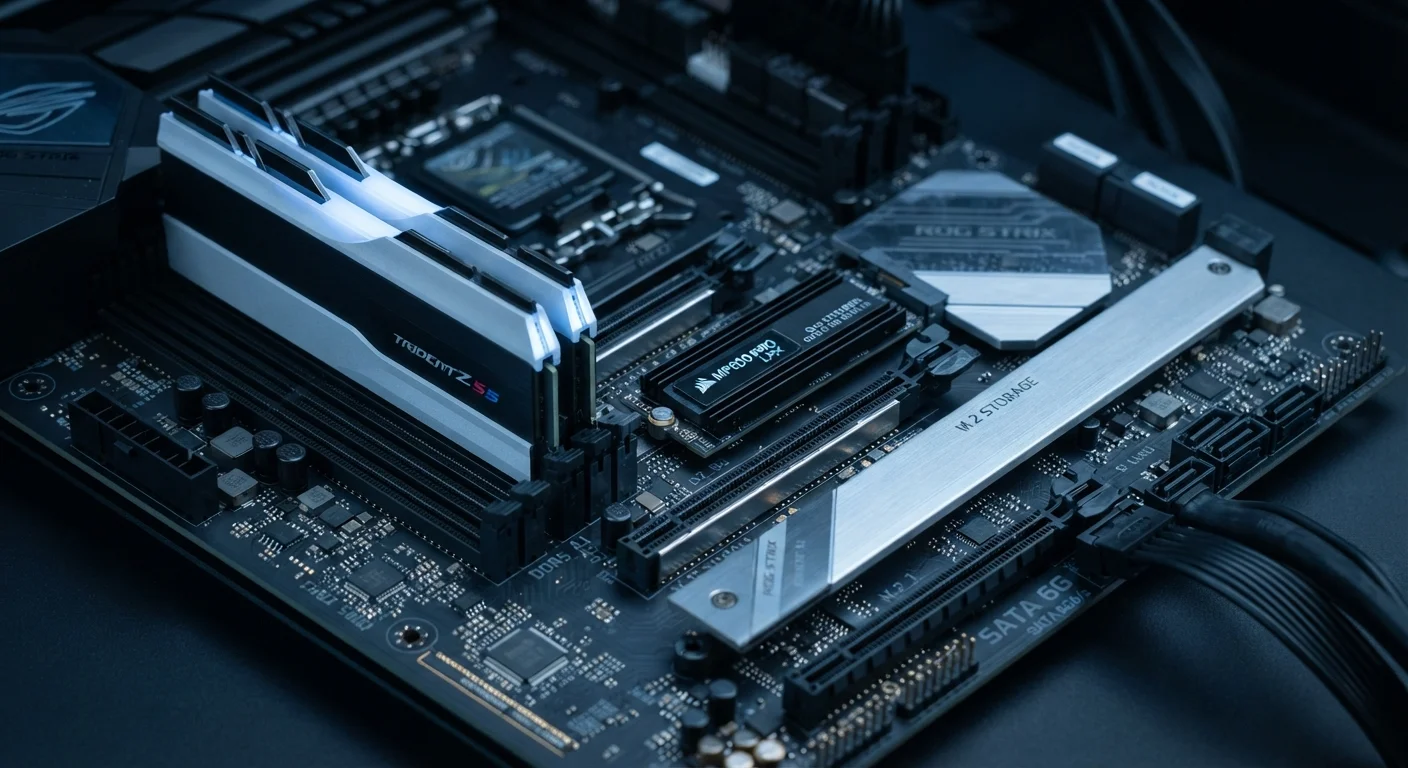
Option A
RAM (Random Access Memory)
The active workspace — fast, temporary, and task-focused.
Best for: Handling what your device is doing right now — running apps, processing browser tabs, and managing active tasks.
Option B
Storage (HDD / SSD)
The filing cabinet — permanent, high-capacity, and data-holding.
Best for: Keeping everything you own long-term — photos, documents, apps, and the operating system itself.
Why These Two Get Confused
Walk into any electronics conversation and you'll hear someone say their phone is "running out of memory" when they actually mean the photo library is full — a storage problem. The confusion is understandable: both RAM and storage are measured in gigabytes, both live inside your device, and manufacturers list both on the same spec sheet. But they do fundamentally different jobs, and mixing them up leads to poor buying decisions.
Think of it this way: storage is the filing cabinet in your office — it holds everything you own, and its contents survive when you turn the lights off. RAM is the surface of your desk — it holds only what you're actively working on, and it clears completely when you leave. A large filing cabinet doesn't make you faster at your current task. A larger desk doesn't give you more room to file things away. The two serve separate purposes.
For a deeper look at how specs like these appear on product listings, see our guide to reading a spec sheet without getting lost.
How RAM Actually Works
RAM — Random Access Memory — is where your device stages active data. When you open a browser, stream a video, or load a spreadsheet, the relevant data is pulled from storage into RAM so the processor can reach it almost instantly. RAM is orders of magnitude faster to access than even the quickest solid-state drive.
The trade-off is volatility: RAM holds nothing once power is cut. Everything on your "desk" vanishes when you shut down. This is why unsaved work disappears during a crash — it existed only in RAM, never written back to storage.
| Criterion | RAM | Storage |
|---|---|---|
| Primary role | Active workspace for running tasks | Permanent home for all files and apps |
| Data persistence | Clears when powered off | Retained when powered off |
| Typical capacity | 8GB – 64GB | 128GB – several terabytes |
| Speed | Extremely fast | Fast (SSD) or moderate (HDD) |
| What running low causes | Slowdowns, freezing, lag | Can't save or install new content |
| Analogy | Your desk surface | Your filing cabinet |
When RAM is limited, the operating system compensates by using a portion of storage as overflow — a technique called virtual memory or a swap file. This slows the device noticeably because storage, even a fast SSD, is significantly slower than RAM. That sluggish feeling when too many browser tabs are open is usually RAM exhaustion, not a weak processor.
How Storage Actually Works
Storage — whether a traditional hard disk drive (HDD) or a solid-state drive (SSD) — is where data lives permanently. Your operating system, every app you've installed, every photo, document, and downloaded file all reside in storage. It retains data with no power required, which is why your files are still there after a restart.
The key variable within storage is speed, not just capacity. An SSD uses flash memory chips with no moving parts, making it significantly faster than an HDD, which relies on spinning magnetic platters. That speed difference shows up most noticeably at startup and when launching applications. However, neither type of storage approaches RAM speeds — the two technologies sit in entirely different performance tiers.
Storage capacity is also where cloud services enter the picture. If you're weighing whether to keep files on-device or offload them, our comparison of cloud storage vs. local storage explains the practical trade-offs.
SSDs vs. HDDs: A Quick Distinction
Not all storage is equally fast. Solid-state drives (SSDs) use flash memory with no moving parts, making them faster and more durable than traditional hard disk drives (HDDs), which use spinning magnetic platters. Most modern laptops and smartphones ship with SSD-style storage. HDDs remain common in desktop computers and external drives where cost-per-gigabyte matters more than speed.
Making Smarter Decisions at Purchase
Once you understand what each component does, spec-sheet numbers become more meaningful. A device advertised with "8GB RAM / 256GB Storage" has 8 gigabytes of active workspace and 256 gigabytes of permanent filing space — very different quantities serving very different roles.
For general use — web browsing, email, video calls, and light productivity — 8GB of RAM is functional, though 16GB provides more headroom as software grows over time. Storage needs vary by habit: someone who streams media and works in the cloud needs far less local storage than someone who downloads films or edits large video files locally.
~10–50x
Speed advantage of RAM over SSD storage
RAM access latency is measured in nanoseconds while even fast NVMe SSDs operate in microseconds, reflecting a meaningful real-world performance gap.
16GB
RAM increasingly standard in mid-range laptops
Industry trends show 16GB becoming the baseline for mid-range consumer laptops as modern operating systems and browser workloads grow heavier.
The practical upshot: if your current device feels slow while multitasking, RAM is likely the constraint. If you're perpetually deleting files to make room, storage is the issue. Diagnosing which limit you're hitting before upgrading or replacing a device saves money and frustration. These are separate problems with separate solutions.
The content on this site is for informational purposes only and is not a substitute for professional advice. Always consult a qualified professional for guidance specific to your situation.