

Why mAh Is Only Half the Story
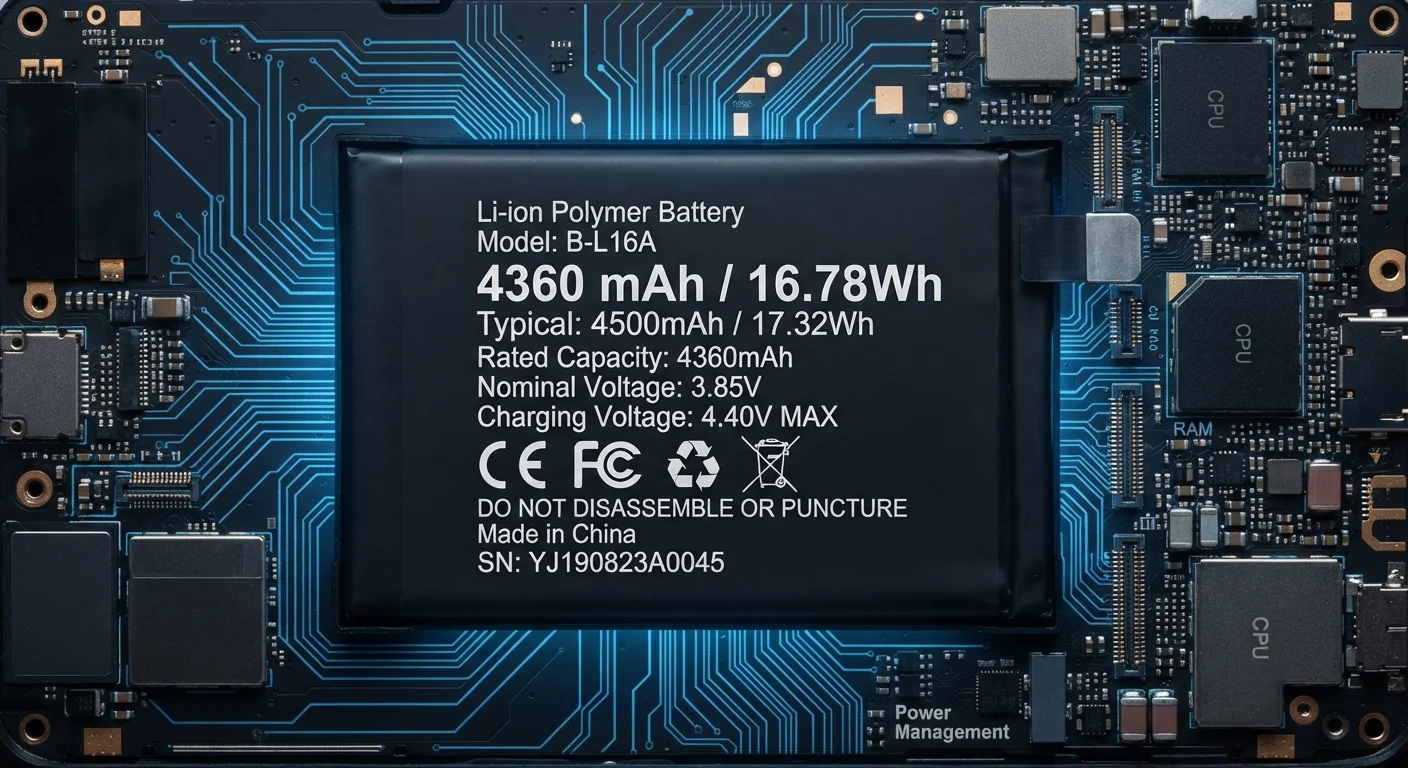
When a device spec sheet lists a 5,000 mAh battery, many shoppers interpret that as a promise of all-day endurance. The number is real and meaningful - but it describes the size of the reservoir, not the rate at which that reservoir empties. Understanding the difference is what separates a useful spec from a marketing shorthand.
Battery life is essentially a division problem: total stored charge divided by how fast the device consumes it. mAh covers the numerator. Everything else - the display, the processor, the radio chips, the software - determines the denominator. A device engineered for efficiency can outlast a device with a larger battery simply by drawing less current per hour.
When reading any spec sheet, it helps to treat mAh as one data point among several. Our guide to decoding spec sheets explains which figures have the most practical impact on daily use.
The Biggest Drains on Your Battery
Knowing what consumes battery charge fastest helps contextualize any mAh figure you encounter.
- Display: The screen is typically the single largest power consumer. Screen-on time is a far better predictor of battery life than standby time, and brightness level amplifies the drain significantly. A 6.7-inch panel at full brightness can consume two to three times the power of the same panel at 30% brightness.
- Processor load: Gaming, video rendering, and other CPU/GPU-intensive tasks spike power draw sharply. Efficient chip architectures - those built on smaller nanometer processes - perform the same work while consuming less energy.
- Wireless radios: Cellular, Wi-Fi, Bluetooth, and GPS all draw continuous current. Weak cellular signal forces the radio to transmit at higher power to maintain a connection, a drain that's invisible but substantial in areas with poor coverage.
- Background activity: Apps syncing data, fetching location, or pushing notifications contribute a steady baseline draw even when the screen is off.
~80%
Typical capacity retained after 300-500 charge cycles
This threshold is commonly cited in lithium-ion battery research as the point where users begin to notice meaningful runtime reduction.
Up to 3×
Power difference between minimum and maximum brightness
Display power consumption varies substantially with brightness, making screen habits one of the most controllable factors in daily battery life.
1Hz-120Hz
Adaptive refresh rate range in modern displays
Devices with adaptive refresh rate technology can scale display frequency based on content, reducing drain during low-activity periods.
None of these factors appear on the mAh line of a spec sheet, which is exactly why that single number can mislead without this surrounding context.
Software and Efficiency: The Invisible Variables
Two devices with identical mAh ratings can deliver dramatically different runtime based on software alone. Operating system power management determines how aggressively background processes are throttled, when the processor downclocks during idle periods, and how efficiently the display's refresh rate adapts to content.
Adaptive refresh rate technology, for instance, allows a display to drop from 120Hz to as low as 1Hz when showing a static image - preserving charge without any hardware change. This kind of optimization can extend runtime by a meaningful margin on devices that implement it well.
Chip architecture plays a parallel role. A processor built on a newer, smaller process node performs the same computational tasks using fewer electrons. Over thousands of micro-operations per second, that efficiency gap adds up to measurable real-world differences by end of day.
These hardware-software interactions also affect how long a device stays useful beyond just day-to-day battery life.
“Battery life is determined not by capacity alone, but by the relationship between stored energy and how efficiently the device's entire system uses it. Software optimizations can outperform hardware upgrades in real-world runtime.”
— Battery Technology Research Community, Consensus position in applied power electronics literature
Battery Degradation: How Capacity Changes Over Time
The mAh rating on a spec sheet describes a brand-new cell. Lithium-ion batteries degrade chemically with each charge cycle, meaning the effective capacity shrinks gradually over the device's life. A battery that measured 4,500 mAh when new might deliver closer to 3,500 mAh after two to three years of regular use - even though nothing on the label changes.
Several factors accelerate this degradation: charging to 100% repeatedly, discharging completely to 0%, exposure to high ambient temperatures, and frequent fast charging. Keeping a battery between roughly 20% and 80% charge prolongs cell health, though the precise optimal range varies by battery chemistry.
This degradation is why a device's real-world runtime often feels shorter after 18 months, even without any change in usage habits. The reservoir has physically shrunk. Understanding this trajectory also helps explain why battery replacement - rather than a new device - can restore performance in an otherwise functional gadget.
How to Use mAh as a Meaningful Comparison Tool
mAh comparisons are most informative when the devices being compared are otherwise similar: similar screen sizes, similar display technologies, and similar software environments. Comparing a 4,000 mAh rating in a compact device to a 5,000 mAh rating in a large-screened device tells you almost nothing useful about relative endurance.
A more reliable approach combines the mAh figure with independently measured screen-on time from battery benchmarks - standardized tests that run a device at fixed brightness and workload until it shuts down. These figures, published in many hardware reviews, capture the output of all the variables that mAh alone cannot.
Also worth noting: watt-hours (Wh), which multiply voltage by amp-hours, is a more complete energy metric than mAh alone. Devices at different voltage levels can have identical mAh ratings but meaningfully different total stored energy. For most consumer comparisons within a single device category, mAh is sufficient - but Wh becomes more relevant when comparing across categories or battery chemistries.
Understanding what specs actually reveal - and what they obscure - applies just as much to camera specifications as it does to battery ratings. A single number rarely tells the complete performance story.
Frequently Asked Questions
Not necessarily. A larger battery can be drained faster by a power-hungry display, a less efficient processor, or background app activity. Two devices with different mAh ratings can deliver similar real-world screen-on time if one is more efficiently engineered.
Larger screens require more power to illuminate, especially at high brightness levels. A 6.7-inch display consumes considerably more energy per hour than a 5-inch one, so a device with a bigger screen often needs a proportionally larger battery just to match a smaller phone's runtime.
Fast charging generates more heat than standard charging, and sustained heat accelerates chemical degradation inside lithium-ion cells. Most modern devices include thermal management systems to mitigate this, but frequent fast charging can still contribute to slightly faster long-term capacity loss.
Most lithium-ion batteries retain around 80% of their original capacity after approximately 300-500 full charge cycles, though this varies by chemistry, temperature, and charging habits. After that threshold, noticeable reduction in runtime typically begins.
Yes. Software updates can introduce improved power management routines, reduce background app activity, or optimize how the processor scales with demand. Conversely, a poorly optimized update can increase battery drain, independent of any hardware change.
mAh is the most widely quoted metric, but watt-hours (Wh) is a more complete measure because it accounts for voltage as well as charge. For cross-device comparisons - especially between different battery chemistries or voltages - Wh gives a truer picture of total stored energy.
The content on this site is for informational purposes only and is not a substitute for professional advice. Always consult a qualified professional for guidance specific to your situation.