

Why Placement Is the Foundation of Any Wi-Fi Setup
A router is a radio transmitter. Like any radio, its signal radiates outward from a fixed point — weakening with distance, bending around some obstacles, and stopping dead at others. That physical reality means where you put your router is not a minor detail; it is the single biggest variable you control after the quality of your internet service itself.
Most households inherit a router location based on where the coaxial cable or fiber jack happens to be installed — often a corner room, a low shelf, or a utility closet. Those locations are chosen for installation convenience, not signal performance. The gap between a convenient location and an optimal one can easily translate to half the usable range across a floor plan.
Understanding the mistakes below does not require any technical background. Each one has a straightforward physical explanation and a concrete fix. If you want to go deeper on the environmental factors that affect signal beyond placement — such as neighbouring networks and building materials — see why walls and appliances slow your Wi-Fi.
Placing the router in a corner of the home.
Why it happens: The router must connect to a wall jack, and wall jacks are often installed near exterior corners where cabling enters the building. Homeowners simply plug in where the cable ends.
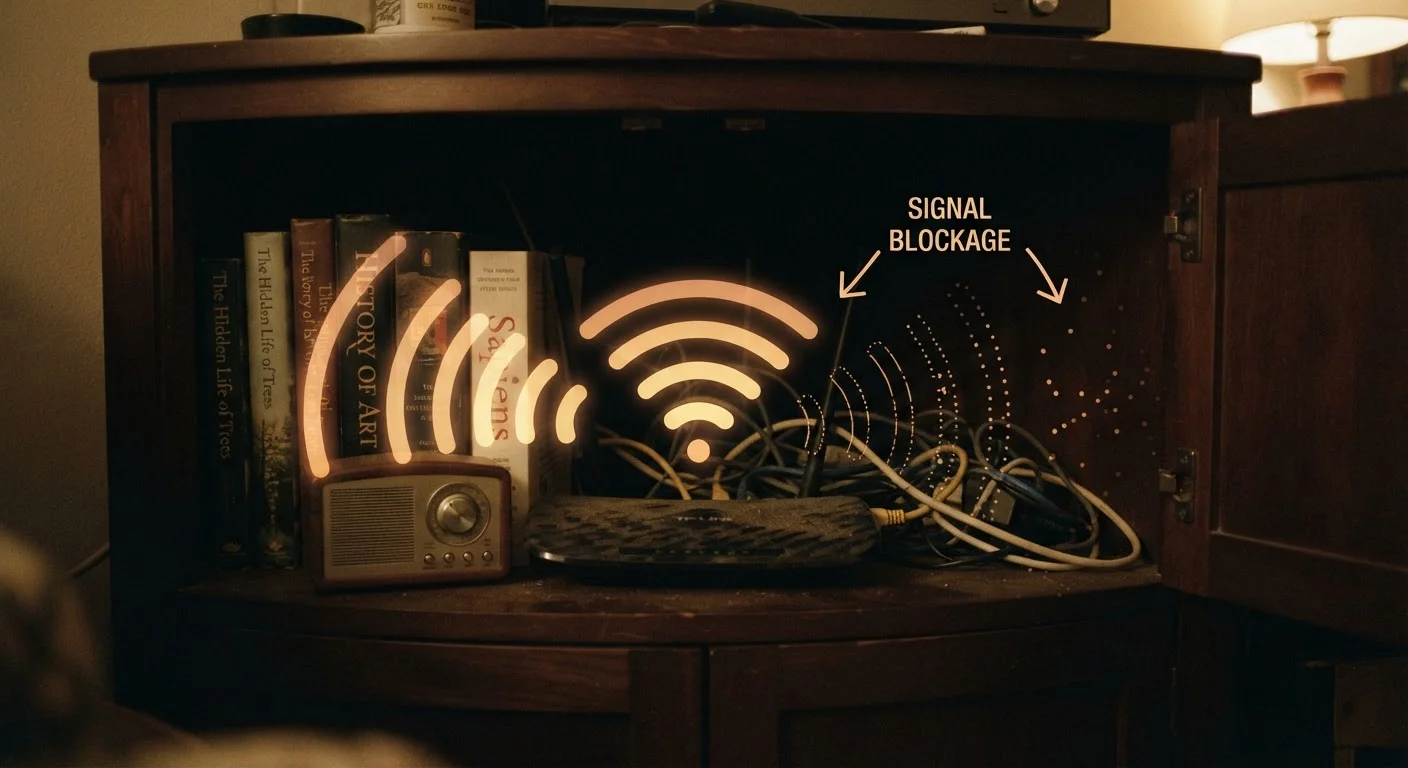
Hiding the router inside a cabinet, cupboard, or AV console.
Why it happens: Routers are not considered attractive hardware, and many people tuck them out of sight as a matter of tidiness or aesthetics.
Placing the router on or near the floor.
Why it happens: Floor-level surfaces near wall jacks are a default destination — a router simply gets set down wherever the cable reaches.
Positioning the router next to a microwave oven or cordless phone base.
Why it happens: Kitchen counters and utility shelves offer convenient power outlets, and the connection between those appliances and Wi-Fi interference is not obvious to most users.
Pointing all antennas in the same direction.
Why it happens: Users assume antennas should point straight up, as that looks like a natural broadcast posture and mirrors how TV aerials are sometimes oriented.
Keeping the router in a room that is far from where devices are actually used.
Why it happens: The router stays in the room where it was first installed — a home office, utility room, or bedroom — even as usage patterns shift toward a living room, kitchen, or outdoor space.
Turning Placement Fixes Into Lasting Improvements
Correcting a placement mistake is a starting point, not an endpoint. Once your router is repositioned, it is worth checking whether your devices are connecting to the right frequency band for their location. Devices close to the router generally benefit from the faster, shorter-range 5 GHz band, while those farther away often maintain a more stable link on 2.4 GHz. Understanding what each band actually does helps you make sense of why signal quality varies device by device even after repositioning.
If you move the router to the most central location possible and still find rooms with poor coverage, the issue may be a floor plan that a single router cannot serve well. In that case, the next logical step is understanding how mesh networks distribute signal across a larger space — covered in our article on mesh networks versus traditional routers.
For a structured review of everything affecting your network — not just router position — the home network audit checklist walks through firmware, security settings, and wired connections alongside placement. Placement alone will not fix every problem, but it remains the highest-leverage, zero-cost change most households have available to them.
Avoid Relocating Your Router Without a Cable Plan
Moving a router to a better position often requires extending the ethernet or coaxial run from your ISP's entry point. Using a long, unshielded cable coiled along a baseboard can introduce its own signal loss and interference. If you need to run cable through walls or ceilings to reach a central location, consider consulting a licensed electrician or structured cabling professional, particularly if the work involves drilling or existing in-wall wiring.
The content on this site is for informational purposes only and is not a substitute for professional advice. Always consult a qualified professional for guidance specific to your situation.