

Our Verdict
Native apps remain the most capable and polished option when performance and hardware integration matter most. Web apps are ideal for quick, low-commitment tasks where installation friction should be zero. Progressive Web Apps occupy a practical middle ground — increasingly capable and easier to maintain — making them a strong option for content-driven services, productivity tools, and cross-platform access. The right choice depends on what the app needs to do and how much of your device's resources you want it to use.
| Best for | Recommended |
|---|---|
| Users who need rich hardware integration and the highest performance | Native App |
| Quick tasks or services you access rarely and don't want to install | Web App |
| Cross-device users who want offline access without an app store download | Progressive Web App (PWA) |
The Core Distinction: Where the App Lives
When someone says "app," they could mean three very different things technically. The easiest way to understand the difference is to ask one question: where does the app actually run?
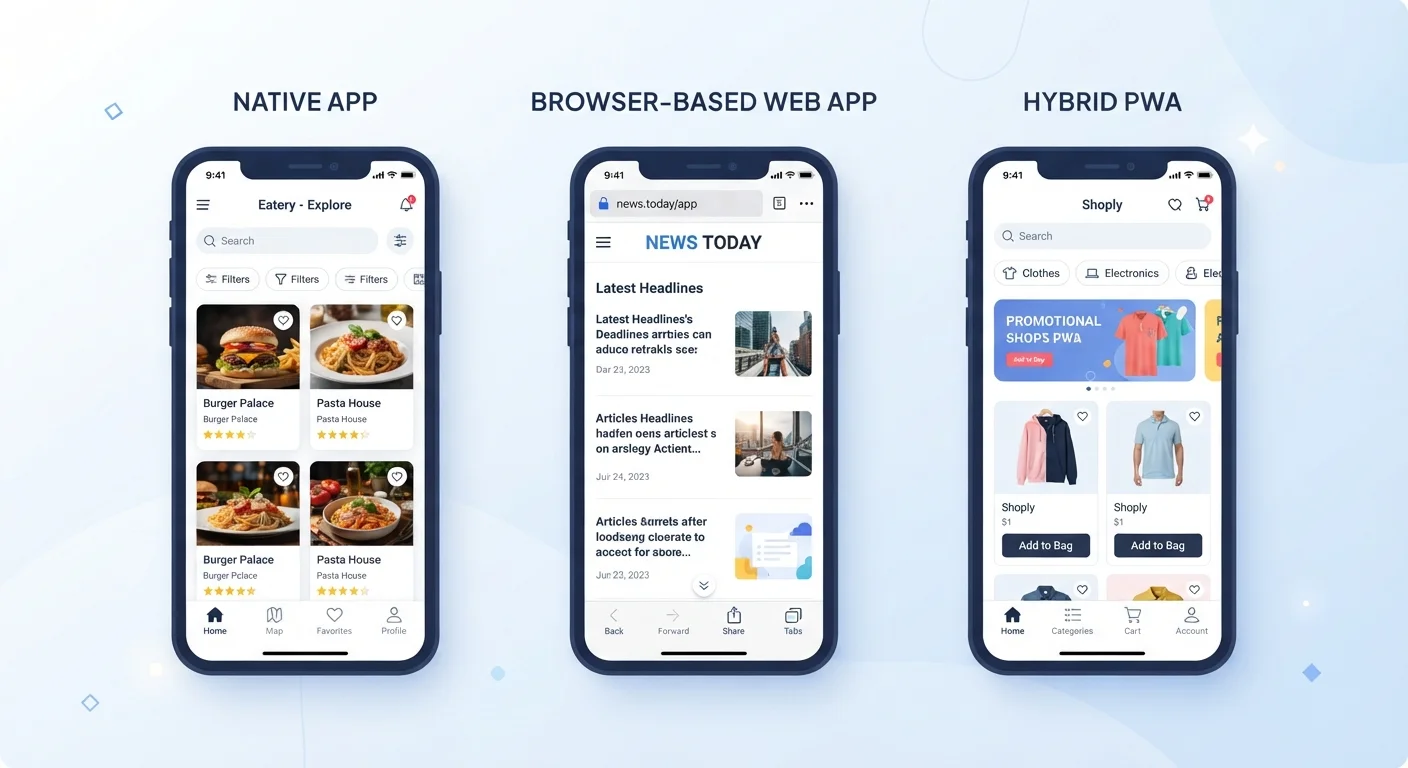
A native app is installed directly onto your device — downloaded from an app store, stored on your phone or computer, and built specifically for one operating system (iOS, Android, Windows, macOS). It speaks the device's own language and has privileged access to hardware like cameras, microphones, GPS, and local storage.
A web app lives on a remote server and is delivered through your browser. You're not installing anything — you're accessing software the same way you'd load a webpage. Think of a browser-based email client or an online document editor. The app exists at a URL, not in your storage.
A Progressive Web App (PWA) is a web app built with a specific set of modern browser technologies that allow it to behave more like a native app. It can work offline, send push notifications, and be added to your home screen — all without going through an app store.
How Each Type Performs in Real Use
Performance differences are tangible enough that most users notice them without knowing the cause.
Native apps are typically the fastest because they're compiled for a specific device architecture and can use the device's graphics processor directly. Games, video editors, and augmented-reality tools are almost always native for this reason.
Web apps can feel slower or more dependent on connection quality because every interaction may require a round-trip to a server. However, modern browsers have closed much of this gap for simpler use cases — spreadsheet tools and project management dashboards, for example, can run smoothly in a browser tab.
PWAs address web app latency through a background script called a service worker — essentially a small program that sits between the app and the network, caching key data so the app loads and responds even when connectivity is poor or absent. That's the technical mechanism behind the "works offline" capability that makes PWAs useful on commutes or in areas with patchy signal.
| Native App | Web App | Progressive Web App | |
|---|---|---|---|
| Installation required | Yes, via app store | No, browser only | Optional, via browser prompt |
| Works offline | Yes (most features) | No (requires connection) | Yes (with service worker caching) |
| Hardware access | Full (camera, GPS, sensors) | Limited (browser-mediated) | Partial (browser APIs) |
| Update process | App store download | Instant on server update | Automatic background refresh |
| Storage footprint | High (device storage) | Minimal | Low to moderate (cached data) |
| Platform compatibility | One OS per version | Any browser, any OS | Most modern browsers/OS |
For deeper context on how apps receive and apply changes over time, see how app updates work under the hood.
Permissions, Storage, and Privacy Implications
The type of app you use directly shapes what it can access on your device — and that has meaningful privacy consequences.
Native apps request permissions explicitly: camera, contacts, location, microphone. These requests appear as system-level prompts because the app is operating at the OS level. Once granted, a native app may retain those permissions until you manually revoke them. Understanding what you're handing over matters — our article on app permissions and why they're requested walks through how to evaluate each request.
Web apps, by contrast, are sandboxed inside the browser. They can only access device features the browser permits — and browsers apply their own permission layer on top. You may still get a prompt for location or camera access, but the scope is narrower.
PWAs fall between the two. They access hardware through browser APIs (application programming interfaces — the standardized connectors browsers expose to web developers), which grants more capability than a plain web app but still less than a fully native one. Notably, PWAs on iOS have historically had more restrictions than those on Android due to differences in how each mobile OS implements web standards.
Storage is another consideration. Native apps consume your device's local storage directly and can grow significantly over time. Web apps store almost nothing locally. PWAs cache data selectively — useful for performance, but worth knowing if storage is limited on your device. The tradeoffs around local versus remote data are covered in detail in our piece on cloud storage vs. local storage.
Installation, Updates, and Distribution
How you get the app — and how it stays current — differs significantly across all three types.
Native apps flow through curated app stores (Apple App Store, Google Play), which adds a layer of vetting but also means developers must comply with platform rules and pay platform fees. Updates are delivered through the store and often require user action to apply, though background updates have become common.
Web apps need no installation at all. The developer updates the server, and every user sees the new version the next time they load the page — no prompts, no download. This makes web apps fast to iterate and easy to maintain at scale.
PWAs are distributed by sharing a URL, like any website, but can prompt users to "add to home screen" — a lightweight install that puts an icon on your device without going through an app store. Updates work like web apps: the service worker quietly fetches new content in the background. This means you're usually on the latest version without ever tapping an update button. Before installing any app type, it's worth taking a moment to evaluate what access you're granting — this checklist for new app installs can help you decide what's reasonable to allow.
The content on this site is for informational purposes only and is not a substitute for professional advice. Always consult a qualified professional for guidance specific to your situation.