

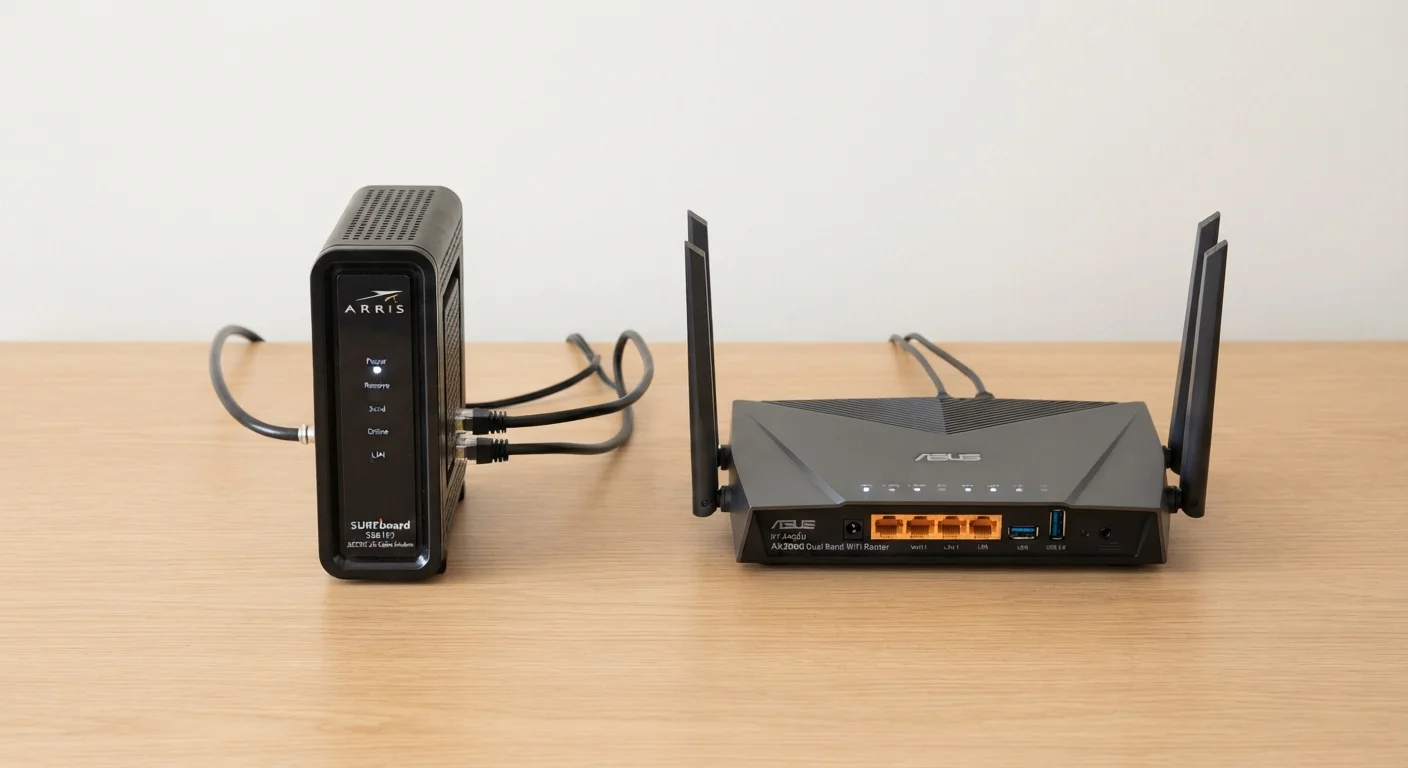
Option A
Modem
The gateway between your home and the internet.
Best for: Translating your ISP's signal into a usable internet connection for your home network.
Option B
Router
The traffic director that connects all your devices.
Best for: Distributing a single internet connection across multiple devices via Wi-Fi or Ethernet.
The Core Distinction: Where the Internet Starts
Your internet service provider (ISP) sends a signal to your home through a physical medium — a coaxial cable, a phone line, or a fiber-optic cable. The problem is that your laptop, phone, or smart TV cannot understand that raw signal directly. That's where the modem comes in.
The word modem is a blend of modulate and demodulate — the process of converting analog signals to digital data and back. In simple terms, the modem is the translator that sits between your ISP's infrastructure and everything inside your home. It speaks both languages: the ISP's on one side, standard digital IP data on the other.
A router, by contrast, never talks to your ISP at all. Its job starts after the modem has done its translation. The router takes that single internet connection and divides it intelligently among all the devices in your home — your phone, your laptop, your smart TV — using a private local network. It assigns each device its own internal address (via a protocol called DHCP) so that data packets reach the right destination.
Think of it this way: the modem is the front door that lets the internet into your building; the router is the internal hallway system that directs traffic to the right rooms. For a deeper look at how these components interact, see our full home network explainer.
Head-to-Head: What Each Device Actually Does
Breaking down the two devices across practical dimensions makes their differences immediately concrete.
| Criterion | Modem | Router |
|---|---|---|
| Primary job | Connects home to ISP | Shares connection across devices |
| Talks to | Your ISP's network | Your local devices |
| Output | Single IP address (WAN) | Private local network (LAN) |
| Affects Wi-Fi? | No — not directly | Yes — manages all wireless traffic |
| Depends on broadband type? | Yes — must match cable, DSL, or fiber | No — works with any modem output |
| Can work without the other? | Yes, but only one device can connect | No — needs a modem or gateway upstream |
| Typical upgrade driver | Change in ISP or broadband type | Wi-Fi speed, range, or new standards |
One nuance worth knowing: the type of modem you need is determined by your broadband technology. A cable modem won't work on a DSL line, and neither will work on a pure fiber connection (which typically uses an ONT instead). How different broadband technologies reach your home explains these distinctions in detail.
Combo Gateways: Convenient but Not Always Optimal
Many ISPs supply a single device that combines modem and router functions — often called a gateway or a wireless gateway. From a convenience standpoint, this is appealing: one power cord, one box, one support call if something goes wrong.
However, combo devices involve trade-offs. The router component bundled into ISP gateways tends to offer fewer configuration options and may use older Wi-Fi standards. If you want to upgrade your Wi-Fi without changing your modem — for example, moving to a newer Wi-Fi 6 or Wi-Fi 6E router — a combo device forces you to replace the entire unit. ISPs also typically charge a monthly rental fee for supplied gateways, so purchasing a standalone modem and router separately can pay for itself over time, though individual savings will vary depending on the provider and your equipment choices.
There's also a setup consideration called double NAT: if you connect your own router behind an ISP gateway that also acts as a router, both devices attempt address translation simultaneously. This can cause problems for online gaming, video calls, or self-hosted services. Most ISPs allow you to put their gateway into bridge mode, disabling its router functions so only your standalone router manages the network — but it's an extra configuration step worth knowing about before you commit to a setup.
When to Think About Each Device Separately
Treating modems and routers as distinct upgrade decisions gives you more targeted problem-solving ability. If your internet speeds are consistently slower than your plan promises even when connected directly via Ethernet cable, the modem (or the ISP's infrastructure) may be the bottleneck. If speeds are fine on a wired connection but drop off over Wi-Fi or don't reach certain rooms, the router — not the modem — is where to focus attention.
Similarly, if you're expanding Wi-Fi coverage across a larger home, the solution lies entirely on the router side of the equation. Mesh systems, for instance, use multiple router nodes working cooperatively — but they still rely on a single modem connecting to the ISP. See mesh networks vs traditional routers for a fuller comparison of those approaches.
Deciding between wired and wireless connections within your home is similarly a router-level question. Wired vs wireless connections breaks down where each technology performs best. The modem plays no role in that choice — once the internet enters the home, it's entirely the router's domain.
Understanding which box does which job means you can troubleshoot smarter, upgrade strategically, and have more informed conversations with your ISP when something goes wrong.
The content on this site is for informational purposes only and is not a substitute for professional advice. Always consult a qualified professional for guidance specific to your situation.